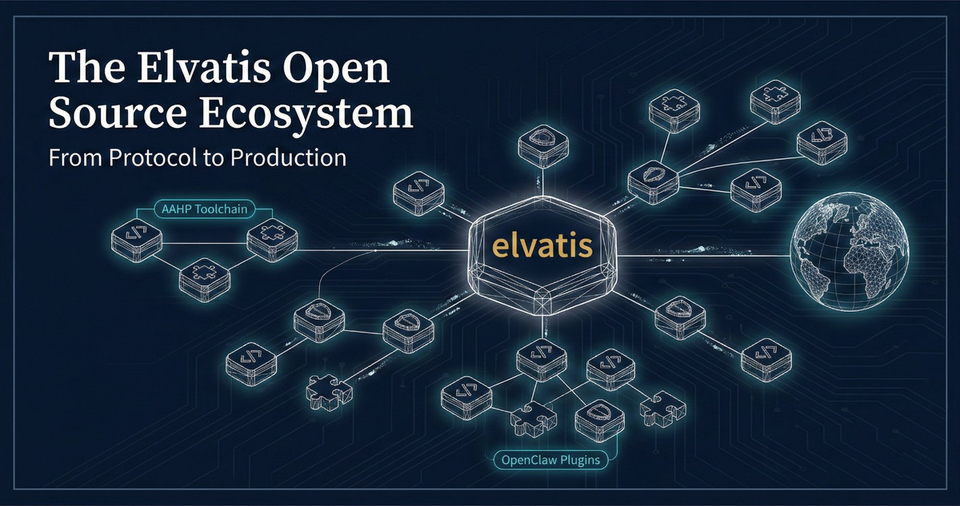
I Built Six Plugins to Control My Entire Infrastructure From a Chat Window
Docker containers, DNS records, smart home devices, GPU compute, RSS feeds, web hosting. All manageable from a single chat conversation. Here's what I built and why.
A few weeks ago I was sitting in a train to Berlin, and I realized I needed to restart a Docker container on my home server. I also wanted to check if my NAS was running hot, adjust the heating at home because I'd be back late, and verify that a DNS record I'd changed earlier had propagated.
Four different dashboards. Four different logins. On a phone with spotty train WiFi.
That's when I decided to build something different.
One chat to rule them all
I use OpenClaw as my AI assistant. It runs on my server, connects to my messaging apps, and can be extended with plugins. The idea is simple: instead of logging into six different admin panels, I teach my assistant how to talk to each service directly.
So that's what I did. Over the past few weeks, I built six plugins that give my assistant direct API access to the core services I manage. All open source, all zero runtime dependencies where possible, all with safety guards built in.
The result: I type a message in my chat, and things happen. No dashboards. No VPN. No fumbling with mobile-unfriendly admin UIs.
The plugins
Home Assistant (34 tools)
This one changed how I interact with my home. 34 tools covering lights, heating, media players, robot vacuum, covers, scenes, sensors, and more.
I type "/home Wohnzimmer 22 Grad" and my Tado thermostat adjusts. "/home Nordlichter" activates a Hue light scene. "/home Roborock saugen" starts the vacuum. I can check room temperatures, humidity, CO2 levels, energy consumption, and NAS health, all from a chat message.
The plugin talks directly to the Home Assistant REST API. No cloud dependency, no extra middleware. And it has safety guards: a readOnly mode for monitoring without accidentally turning things off, and allowedDomains to restrict which device categories the assistant can control.
ISPConfig (31 tools)
I manage web hosting through ISPConfig, and the admin panel is functional but not exactly pleasant on a phone. This plugin exposes 31 tools for managing websites, email accounts, databases, DNS zones, FTP users, shell users, and cron jobs.
Need to add a mailbox for a new team member? One message. Check which sites are active? One message. Add a DNS record? You get the idea.
The safety model here matters. The plugin validates every operation against a configurable allowlist, and readOnly mode blocks all write operations. When you're managing production web servers through a chat interface, you want those guardrails.
INWX Domain Registrar (23 tools)
Domain registration and DNS management at the registrar level. This plugin talks to the INWX XML-RPC API and handles domain search, registration, transfers, nameserver management, DNSSEC, contact handles, and pricing lookups.
The use case that triggered this: I wanted to check if a domain was available, see the price, and register it, without opening a browser. Now I can do that in three chat messages.
Docker (8 tools)
Container management: list running containers, view logs, inspect, start, stop, restart, and manage Docker Compose projects. Nothing revolutionary, but incredibly convenient when you're not at your desk.
The plugin connects via the Docker socket or TCP, supports TLS, and has the same readOnly / allowedOperations guard pattern as the others.
RSS Feeds (7 tools)
This one is more specialized. It fetches RSS and Atom feeds, enriches security advisories with CVE data from the NVD, and can automatically create Ghost CMS draft posts from feed entries.
I use it primarily for security monitoring: Fortinet advisories, BSI warnings, Microsoft patch notes. The plugin fetches the feeds, identifies critical CVEs, enriches them with CVSS scores and descriptions, and either sends a digest to my chat or creates a formatted blog draft. The monthly Fortinet recap posts on my blog are generated this way.
GPU Bridge (5 tools)
The odd one out. This plugin connects to a remote GPU machine (in my case, a Windows PC with an RTX 2080 Ti) running a FastAPI microservice. It offloads ML tasks like BERTScore computation and text embeddings to the GPU.
Why? Because I'm running AI research experiments (comparing language model outputs) and scoring them on a CPU is painfully slow. The plugin handles multi-GPU load balancing, health checks, failover, and model caching. It turned a 45-minute scoring run into a 3-minute one.
The /home shortcut
The Home Assistant plugin deserved special treatment. I set up a /home command shortcut so any message starting with /home is automatically routed to the HA plugin context. The assistant knows all my entity IDs, room names, and device capabilities.
A few examples from actual use:
- "/home Heizung Wohnzimmer 22 Grad" - sets the thermostat
- "/home alle Lichter aus" - turns off every light
- "/home wie warm ist es?" - returns all room temperatures
- "/home Szene Entspannen" - activates a Hue scene
- "/home Staubsauger starten" - sends the Roborock on a cleaning run
It feels surprisingly natural. Like texting a very competent roommate.
The pattern: safety first, then convenience
Every plugin follows the same architecture:
- Zero runtime dependencies where possible (native
fetch, no axios/got/request) - TypeScript with strict mode, full type safety
- Guard system:
readOnlymode, operation allowlists, domain restrictions - Input validation: every entity ID, every parameter, every service call
- Comprehensive tests: mocked API clients, guard testing, edge cases
The guard system is not optional. When you give an AI assistant the ability to control your heating, restart your containers, or modify DNS records, you need to be very deliberate about what it can and cannot do. Every plugin ships with sensible defaults that prevent accidents.
What I learned
Building these plugins taught me a few things:
API documentation is a spectrum. Home Assistant's REST API docs are excellent. ISPConfig's are functional but sparse. INWX uses XML-RPC with a PDF manual. You learn to read source code fast.
The hardest part isn't the API integration. It's the safety model. Figuring out which operations should be blocked in read-only mode, which parameters need validation, which error messages are actually helpful. That's where the real work happens.
Chat-first changes behavior. When controlling something is as easy as sending a text message, you do it more often. I check my room temperatures multiple times a day now. I adjust heating based on whether I'm coming home late. I actually use the 49 Hue scenes I set up months ago and then forgot about.
Infrastructure should be conversational. Not everything needs a dashboard. Sometimes a quick "how's the NAS doing?" is all you need, and getting back "Cloud: CPU 7%, 51C, Volume 76% used" in two seconds is better than loading a Synology admin panel.
All open source
Every plugin is MIT-licensed and available on GitHub and ClawHub. They're built for OpenClaw but the core logic (API clients, type definitions, guard systems) is framework-agnostic.
If you're running OpenClaw and want to manage your own infrastructure from chat, grab what's useful. PRs welcome.
This isn't part of the AEGIS series, just a practitioner sharing tools that made daily work better. Sometimes the most impactful automation isn't the ambitious platform, it's the thing that saves you from opening yet another browser tab.