How I Built a Day/Night AI Development Loop with AAHP
A file-based protocol and two tools that let AI agents pick up where the last one left off. One for your VS Code sessions, one for overnight autonomous runs.

I got tired of repeating myself to AI agents.
Every time I opened a new chat with Copilot or Claude Code, the same dance: "This project uses TypeScript strict mode. We follow conventional commits. The auth service is done, CORS is still broken. Here's what to do next." Copy, paste, explain, wait, repeat.
So I built a protocol for it. And then tools on top of it. What started as a simple markdown spec turned into a two-piece toolchain that changed how I ship code.
The Protocol: AAHP v3
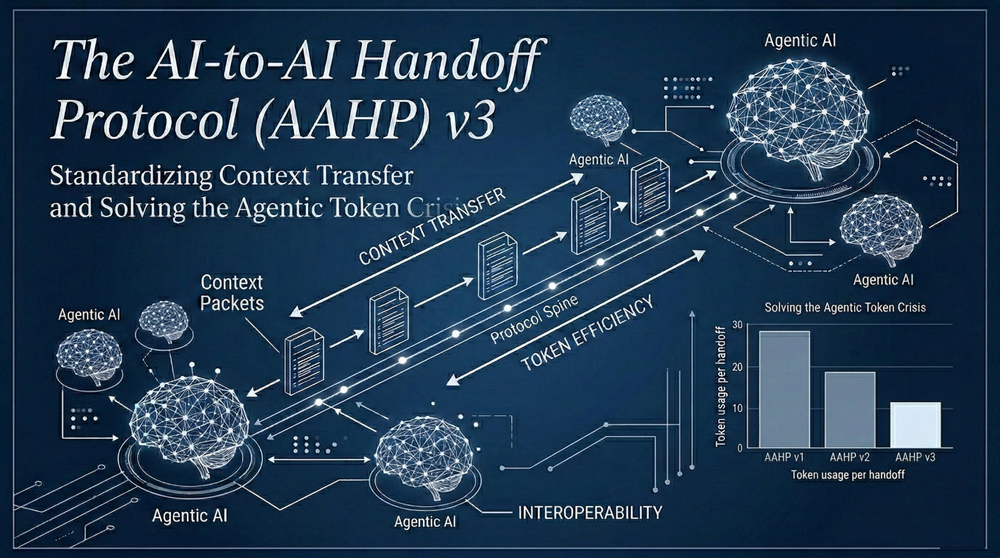
AAHP stands for AI-to-AI Handoff Protocol. The idea is simple: instead of briefing every agent from scratch, you keep a structured set of files in your repo that any agent can read. Think of it as a project briefing that persists between sessions.
The core is a MANIFEST.json in .ai/handoff/. It contains your current phase, active tasks, conventions, trust state, and a quick context summary. When a new agent session starts, it reads the manifest first (about 80 tokens) and decides what else it needs. A typical follow-up session cuts orientation cost by roughly 87% compared to reading everything.
The protocol also tracks which tasks are ready, in progress, or done. It knows which agent worked last, what was committed, and what's blocked. All file-based, all in git, all diffable.
The Day Tool: aahp-orchestrator
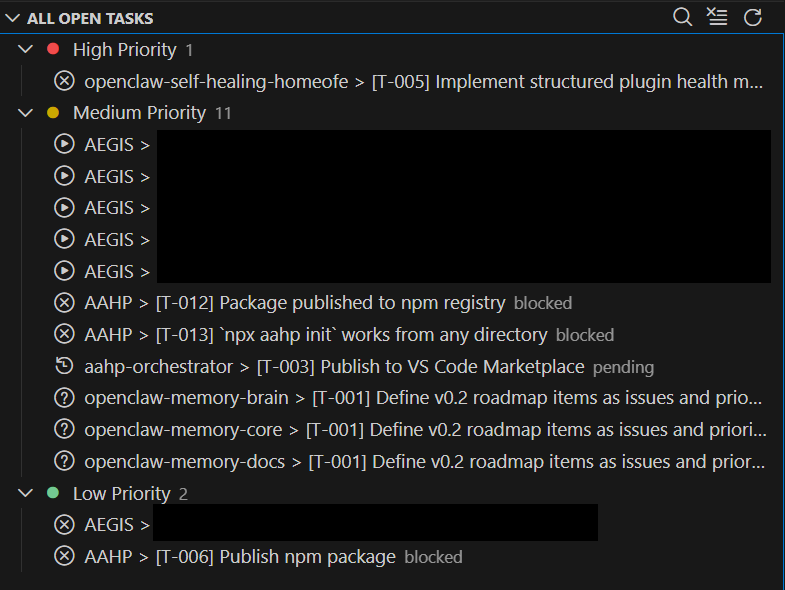
This is a VS Code extension. Once you open a workspace that has AAHP handoff files, it kicks in automatically:
- A status bar shows your current phase and active task at a glance
- The sidebar dashboard displays all tasks, their status, priorities, and dependencies
- Type
@aahpin any VS Code chat (Copilot or Claude Code) and the full project context gets injected before your message. No cold starts. - Double-click any task in the dashboard to spawn an agent that works on exactly that task
- Keyboard shortcuts: Ctrl+Alt+A copies context, Ctrl+Alt+R runs all agents, Ctrl+Alt+D opens the dashboard
The key insight: both Copilot and Claude Code become dramatically more useful when they don't have to guess what the project is about. The orchestrator eliminates "what does this project do?" entirely.
The Night Tool: aahp-runner
The orchestrator is for when you're at the keyboard. The runner is for when you're not.
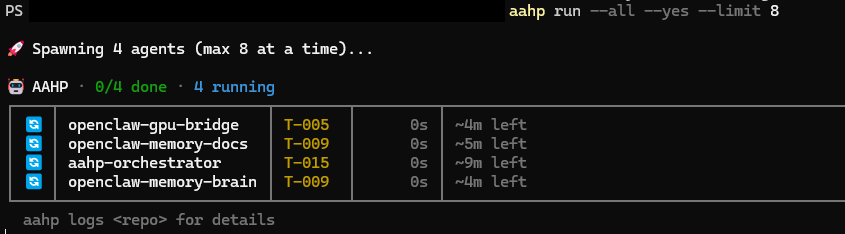
It's a CLI that scans a root development folder for all repos with AAHP handoff files, finds tasks marked as "ready", and spawns agents to implement them. Unattended. It reads files, writes code, runs tests, commits, and updates the manifest.
The workflow looks like this:
# See all projects and their top task
aahp list

# Run agent on all projects with ready tasks
aahp run --all

# Schedule daily runs at 2 AM
aahp schedule --time 02:00

# Watch status in real-time
aahp status --watch
You plan during the day, mark tasks as ready, push to git. At 2 AM the runner picks them up, implements what it can, commits the results, and updates the handoff files. You wake up to pull requests and green tests. Or red tests and a detailed log of what went wrong, which is equally useful.
The Loop
Together, the two tools create a continuous development loop:
- You code with the orchestrator injecting context into Copilot/Claude
- You plan by creating tasks in the AAHP manifest
- The runner works overnight, implementing ready tasks across all your repos
- You review in the morning, accept or adjust, plan the next batch
It's not replacing you. It's giving you a night shift that follows your conventions, reads your notes, and doesn't ask "should I proceed?" every 30 seconds.
Agent Backends
Both tools support multiple backends:
- Claude Code (VS Code extension) for deep, careful implementation
- GitHub Copilot (via gh CLI) for fast iteration
- Anthropic SDK (direct API) for programmatic control
- Auto-detect tries Claude first, falls back to Copilot
I tend to use Copilot for quick fixes and Claude for anything that touches multiple files or needs architectural reasoning. The AAHP context ensures both agents start with the same understanding of the project.
What I Learned Building This
The biggest surprise: the protocol matters more than the tools. Once your handoff files are well-structured, any agent becomes significantly more useful, even without the orchestrator or runner. The tools just remove friction.
The second surprise: overnight agent runs produce better results than I expected. Not because the AI is smarter at 2 AM, but because it works from a clean task definition without the temptation to scope-creep. "Fix CORS headers in the API gateway" is a better prompt than a 20-minute back-and-forth chat session that drifts into refactoring.
If you want to try it: the AAHP protocol spec is on GitHub, along with the aahp-orchestrator (VS Code extension) and aahp-runner (CLI). Install the runner with npm install -g aahp-runner. Both are MIT licensed and open source.
The protocol is the foundation. The tools are optional accelerators. Start with the files.